3D Brick Breaker Game🧱Brick Breaker 3D
Breakout with depth.
About Brick Breaker 3D
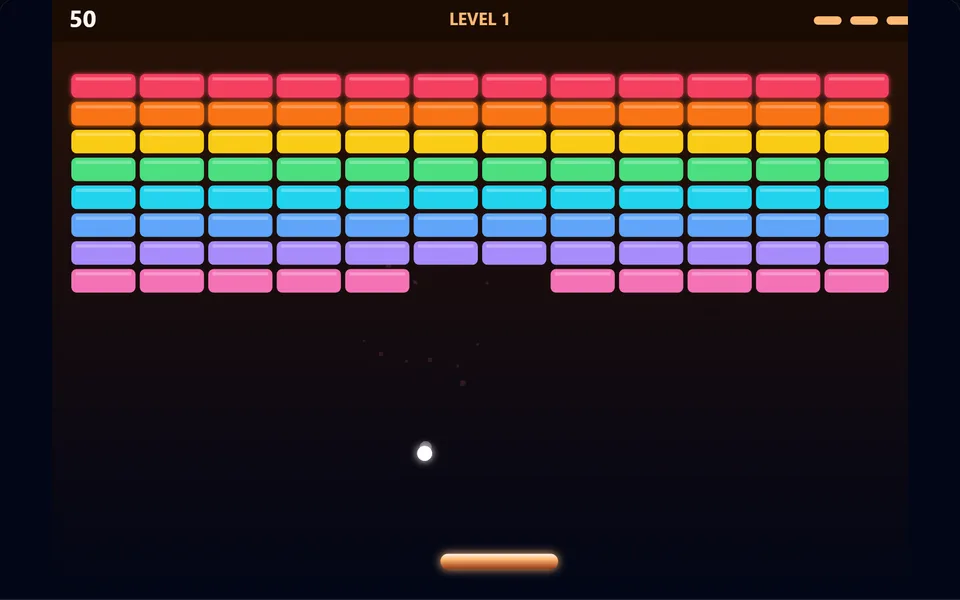
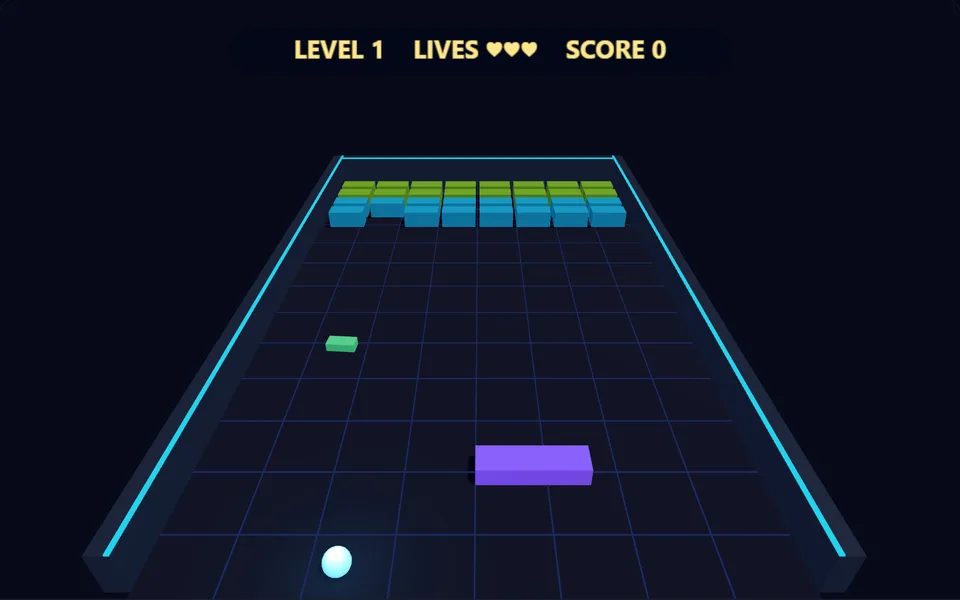
Smash a wall of 3D bricks with a bouncing ball. Keep the ball in play with your paddle, chase multi-ball power-ups and clear the wall to advance.
Controls
- ▸Mouse or finger to move the paddle
- ▸Left / Right keys also work
- ▸Click or Space to launch
- ▸P or Esc to pause
- Difficulty
- ★★★★★
- Session
- ~4 min
- Plays
- 0
- Time played
- 0 min
How to play Brick Breaker 3D
Move your paddle along the front of a 3D arena and keep the ball bouncing into the wall of bricks at the back. Steer with the mouse, a finger or the Left and Right keys, and launch the ball with a click, a tap, Space or Up. Hitting the ball near the ends of the paddle sends it off at a sharper angle.
Bricks take one to four hits, shown by colour: cyan, green, orange and pink. Each brick destroyed scores 10 points times the level number. Clear them all to reach the next level, which adds a row (up to seven), changes the layout and speeds up the ball. You have three lives and lose one when every ball in play is gone.
Tips
- ▸About one brick in six drops a power-up, so catch them: a pink diamond splits every ball into three, up to six balls, and a green bar widens your paddle by half for 12 seconds.
- ▸Aim through gaps. A ball that gets behind the bricks bounces between them and the back wall, hitting the toughest rows again and again.
- ▸During multi-ball, follow the lowest ball. You only lose a life when every ball has gone.
Brick Breaker 3D FAQ
- How many levels are in Brick Breaker 3D?
- Levels keep coming for as long as you have lives. The layout cycles through four patterns, with more rows and tougher back rows as you go.
- Does the ball speed up?
- Yes. It gets slightly faster with each paddle hit, up to a limit, and each new level starts it faster than the one before.
- Do I need a keyboard?
- No. The paddle follows your mouse or finger, and a click or tap launches the ball. The Left and Right keys are there if you prefer them.