First Person 3D Maze Game🚪Maze Explorer 3D
First-person maze escape.
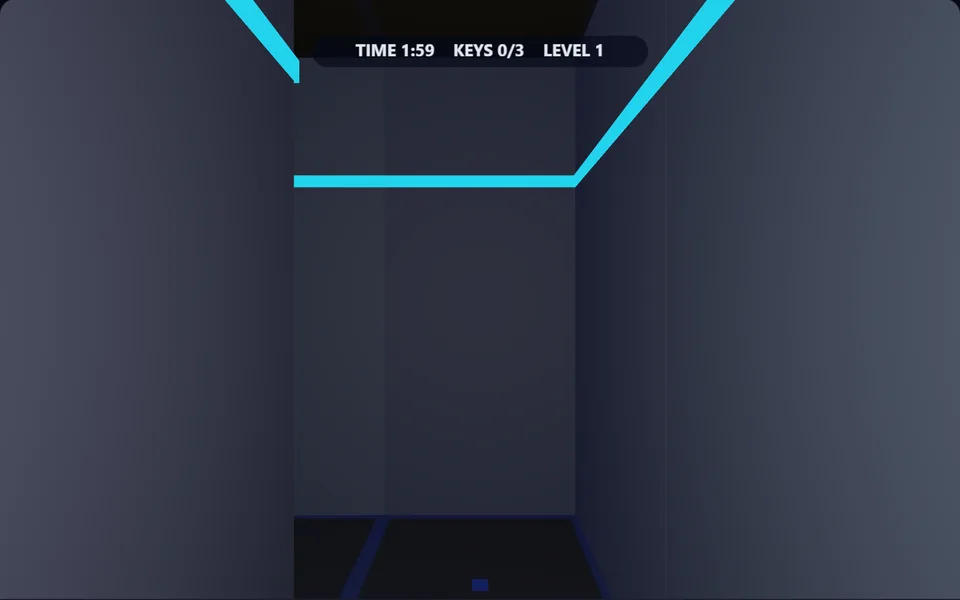
About Maze Explorer 3D
Find the exit of a randomly generated maze from a first-person view. Collect keys to unlock the door and beat the clock. Every maze is different.
Controls
- ▸WASD / arrows to move and turn
- ▸Touch: d-pad to move and turn
- ▸P or Esc to pause
- Difficulty
- ★★★★★
- Session
- ~5 min
- Plays
- 0
- Time played
- 0 min
How to play Maze Explorer 3D
You start in one corner of a maze, seen through your own eyes with a torch lighting the way. Walk with W and S or Up and Down, and turn with A and D or Left and Right. You can also drag across the screen to turn, and phones get an on-screen d-pad.
Three glowing yellow keys are hidden in each maze. Collect them all and the red exit door turns green and opens; walk through it to finish the level. Every new maze is random and four squares bigger in each direction. You get two minutes on level 1 and 30 seconds more on each level after. When time runs out the game ends, and your score is the number of mazes you escaped.
Tips
- ▸Keys are placed at dead ends, so a short corridor with a yellow glow at the end is always worth checking.
- ▸The mazes have no loops, so following one wall all the way round takes you past every dead end.
- ▸The exit is near the corner opposite your start, so collect keys on your way across.
- ▸Beeps start ten seconds before time runs out, which is your cue to head for the door.
Maze Explorer 3D FAQ
- How many keys open the exit door?
- Three in every maze. The counter at the top shows how many you have, and the door changes from red to green when it opens.
- Is the maze the same every time?
- No. Each level is generated at random, so the walls and key spots change on every play. Only your starting corner and the side the exit is on stay the same.
- Does unused time carry over to the next level?
- No. Each maze starts with a fresh timer: 2:00 for the first, 2:30 for the second, 3:00 for the third and so on.